Settings Reference
The Settings panel configures the services and defaults the rest of the app depends on. Settings are stored in the database (not browser storage), so they apply to every session and survive restarts. Sensitive values are encrypted at rest.
Endpoints Tab
Where labeling LLMs live.
| Setting | Purpose |
|---|---|
| OpenAI-compatible endpoint | Base URL of any OpenAI-compatible server (vLLM, Ollama's OpenAI shim, miLLM, LM Studio…) used for labeling |
| OpenAI-compatible model | Model name to request from that endpoint |
| Ollama / LLM Service URL | Shows the address in force for the local LLM service and where it comes from. Change it in the Environment tab. |
The Fetch Models button queries the configured endpoint's /models list, so you can pick from what the server actually serves instead of typing model names blind.
API Keys Tab
| Key | Used for |
|---|---|
OpenAI API Key (sk-proj-…) | Bulk + enhanced labeling against api.openai.com |
HuggingFace Token (hf_…) | Gated model/dataset downloads, SAE uploads to the Hub |
Keys are encrypted at rest with AES-256-GCM and never displayed in full after saving — the UI shows a masked placeholder. Re-entering a key replaces the stored ciphertext.
Labeling Tab
Defaults for the labeling pipelines (individual jobs can still override them):
| Setting | Default | Description |
|---|---|---|
| Default Batch Size | 10 | Features per LLM request in bulk labeling |
| Default Max Examples per Feature | 25 | Activation examples shown to the LLM per feature |
| Labeling Method (enhanced) | OpenAI-compatible | Backend for enhanced labeling: openai (api.openai.com) or openai_compatible (your endpoint) |
| OpenAI Model (enhanced) | gpt-4o-mini | Model for enhanced labeling when method = OpenAI. Fetch Models lists your account's available models. |
| Max Parallel Workers (Pass 1) | 8 | Concurrency for enhanced labeling's per-example summarization pass |
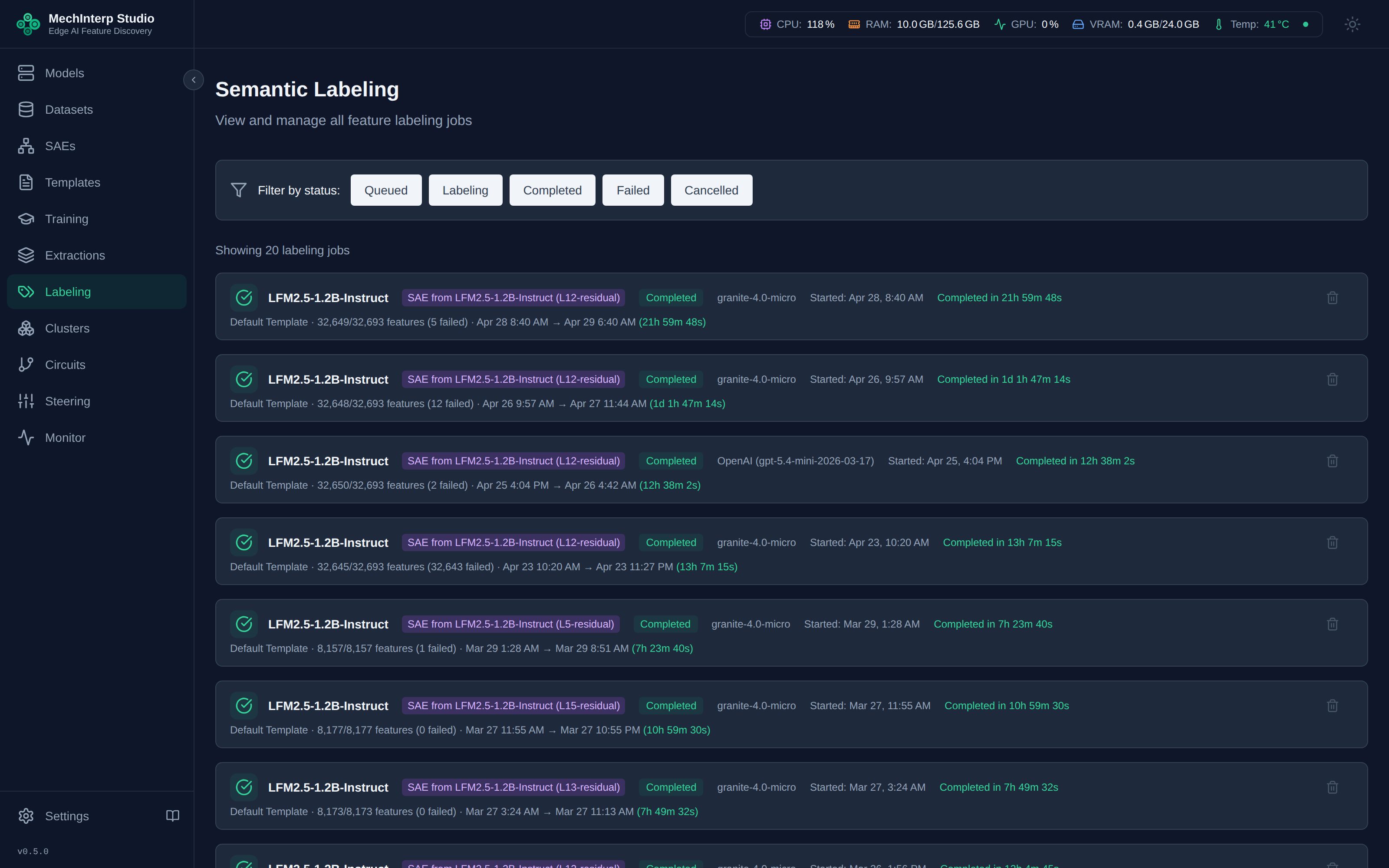
Reasoning-class OpenAI models (gpt-5, o1/o3/o4 families) are auto-detected — miStudio switches to max_completion_tokens and strips <think> blocks from responses, so they work in labeling without special configuration.
Environment Tab
Some of miStudio's server settings come from its environment (the variables set in the Kubernetes manifests or the Docker Compose file). The Environment tab shows where each value comes from, and lets you change a few of them while miStudio runs, without a restart. It sits behind the Settings PIN, like API Keys and Storage.
The environment stays the source of truth. Saving a value stores an override in miStudio's database; Use the environment value removes it, and the environment's value applies again. Each change is kept in a history (who, when, the old and new value, and an optional reason), and the tab lists the last 50.
Changeable while miStudio runs
| Setting | Environment variable | Takes effect |
|---|---|---|
| Agent approval lifetime (hours) | MCP_APPROVAL_TTL_HOURS | next approval check |
| Steering time limit (seconds) | STEERING_TIMEOUT_SECONDS | next generation |
| Cross-layer warning threshold | STEERING_HAZARD_PRIOR_THRESHOLD | next request |
| Cluster strength constants (JSON, JavaScript Object Notation) | STEERING_CLUSTER_CONSTANTS_JSON | next request |
| Labeling batch size | LABELING_BATCH_SIZE | next labeling job |
| Clean up after dataset downloads | AUTO_CLEANUP_AFTER_DOWNLOAD | next download |
| Labeling model service address | OLLAMA_URL | next request |
| Local Neuronpedia address | NEURONPEDIA_LOCAL_URL | next request or push |
| Local Neuronpedia creator id | NEURONPEDIA_LOCAL_ADMIN_USER_ID | next push |
| System monitor interval (seconds) | SYSTEM_MONITOR_INTERVAL_SECONDS | next monitor tick |
| Log level | LOG_LEVEL | the server at once; workers at their next task |
| Training buffer read threads | ACTIVATION_READ_THREADS | next training task |
| Prepare the next training buffer early | ACTIVATION_PREFETCH | next training task |
"Next task" means what it says: a job that is already running keeps the value it started with. A value is checked before it is saved, against the same limits the environment's value must meet, and a refusal is shown on the row.
Needs a restart
Shown read-only, each with the pod to restart. Restarting the mistudio-backend pod stops every
running job, including graphics card work, so plan it for a quiet moment. Settings that belong to
another container (the workers' CELERY_* settings, and the MCP (Model Context Protocol) server's
MCP_* and sibling addresses) are listed with the pod that reads them; the server cannot read
another container's environment, so their values are not shown.
One of them is JUDGE_PROMPT_SEED_DIR (Judge prompt seed dir): an extra folder of judge-prompt
files the server loads at startup, after the built-in starter prompts. Empty means built-in only.
See Adding a prompt without code.
From the environment
Read-only. Secrets (the Hugging Face token and the OpenAI key) show only whether they are set; manage them in the API Keys tab. Database addresses, the secret key, file paths and the allowed browser origins are not listed at all.
Agents can read this page through the MCP tool get_environment_settings. They cannot change it.
Display Tab
Display preferences (theme, sidebar collapse) are controlled from the header and stored locally in your browser — they don't sync across devices.
PIN Protection
Because Settings holds API keys, arms irreversible checkpoint deletion and changes server settings, three tabs can be locked behind a PIN:
- Set a PIN in the API Keys tab. From then on, opening API Keys, Storage or Environment prompts for it once per session.
- The PIN is stored as a PBKDF2-SHA256 hash — it is not recoverable, only resettable.
The PIN is a UI affordance, not authentication.
- It gates three tabs, not the panel. Endpoints, Labeling and Display open without it, and the tab bar always renders. This page previously said "the panel can be locked", which is not what the code does (MIS-E2E-160) — and until that was fixed the Storage tab, which arms irreversible checkpoint deletion, was the one destructive surface left ungated.
- It does not gate the API. Every setting reachable through the UI is reachable over HTTP without it. miStudio has no per-user authentication by design — see PADR IDL-47 for the posture, its boundary and what invalidates it.
- Treat it as "stop me clicking the wrong thing", never as access control. If you need real access control, the network boundary is where it lives.
Forgot your PIN? Set the environment variable on the backend and restart:
MISTUDIO_BYPASS_PIN=true
The Settings panel opens without a PIN and shows a persistent warning banner. Reset (or remove) your PIN in the API Keys tab, then remove the flag and restart — bypass mode is for recovery, not day-to-day use.
BYPASS_SETTINGS_PIN=true is accepted as well, for deployments that already use that name. If both are set, MISTUDIO_BYPASS_PIN wins. Before 2026-10-20 only BYPASS_SETTINGS_PIN worked, so a MISTUDIO_BYPASS_PIN flag set on an older build did nothing.
Removing the PIN. API Keys → Remove asks for the current PIN, the same as Change. Under the bypass it does not.